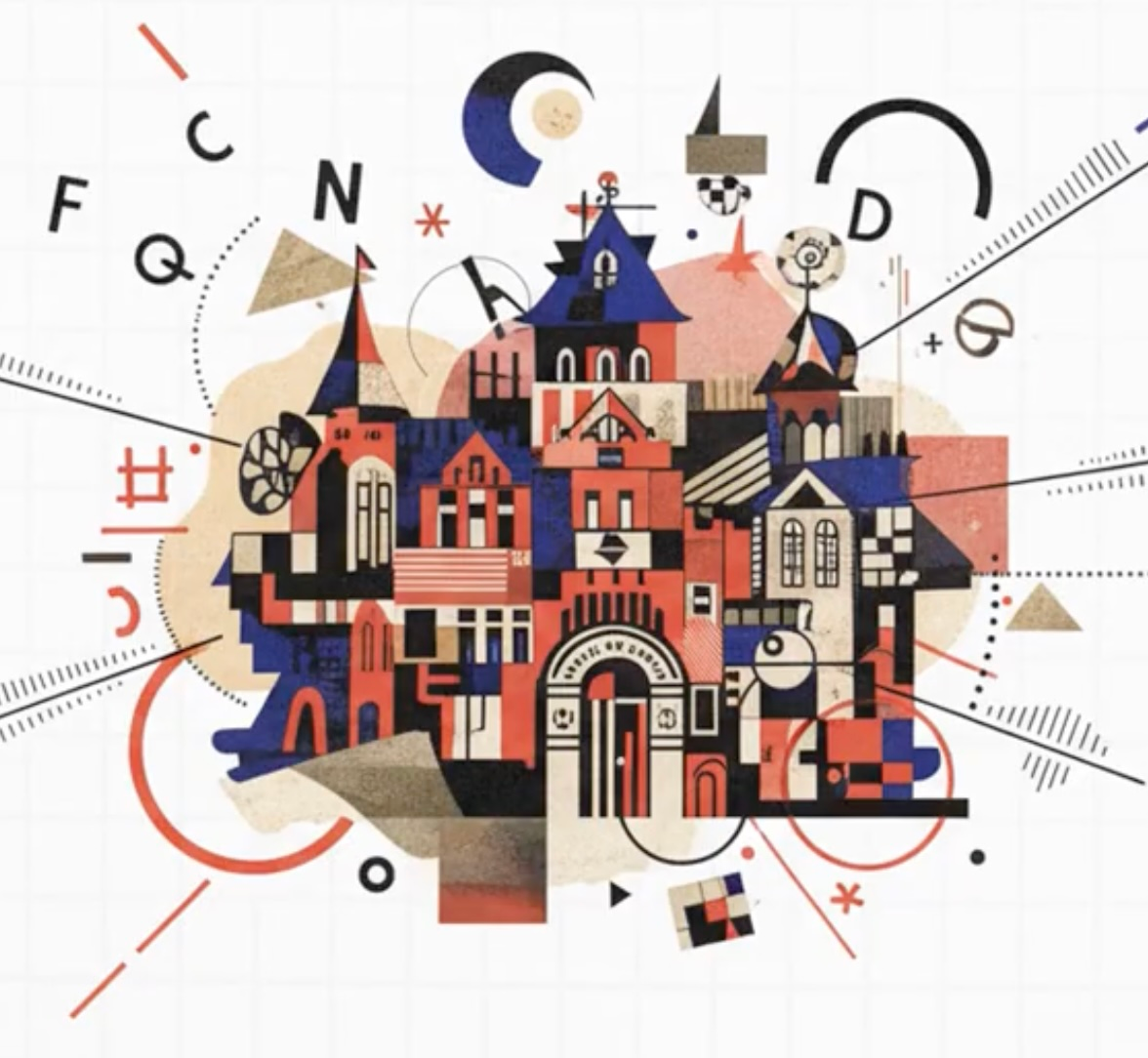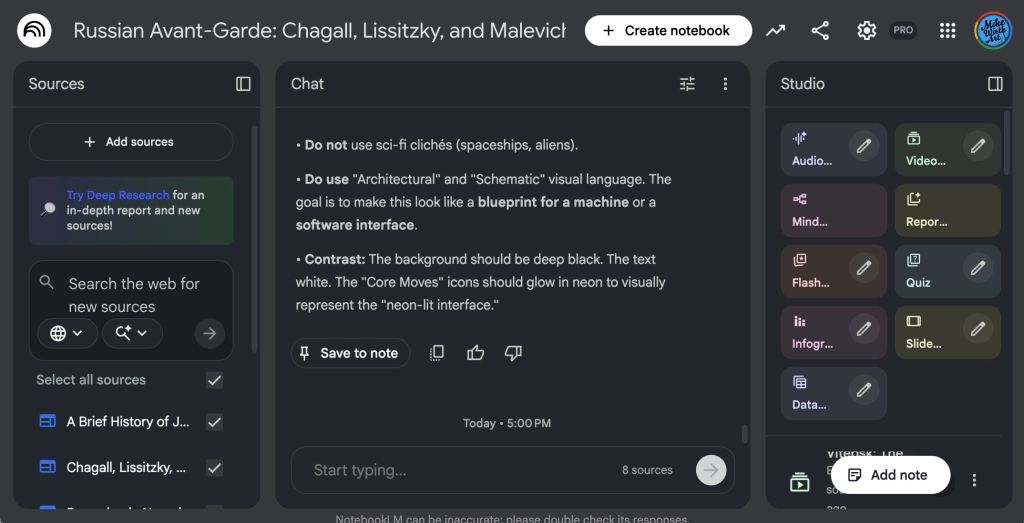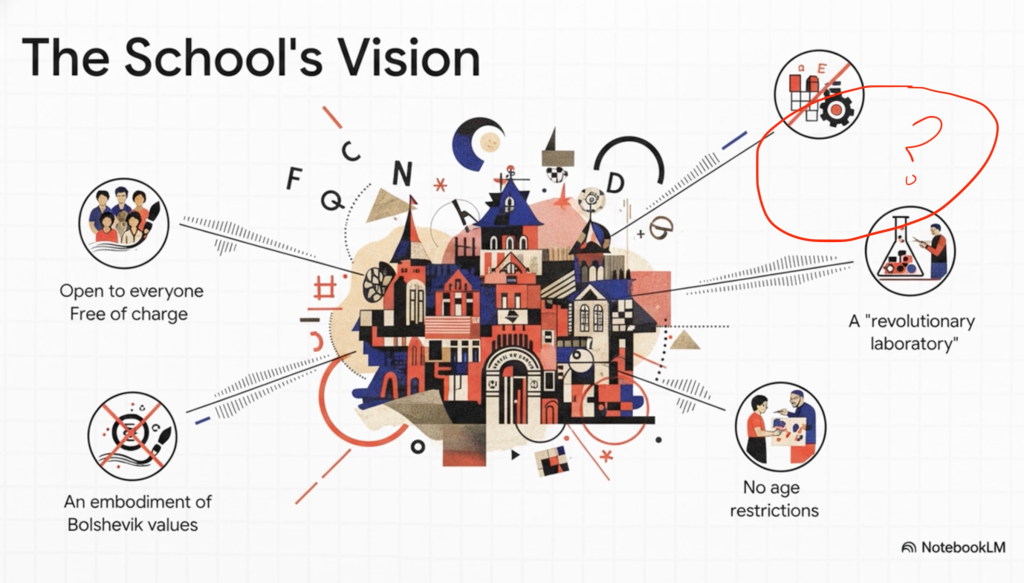
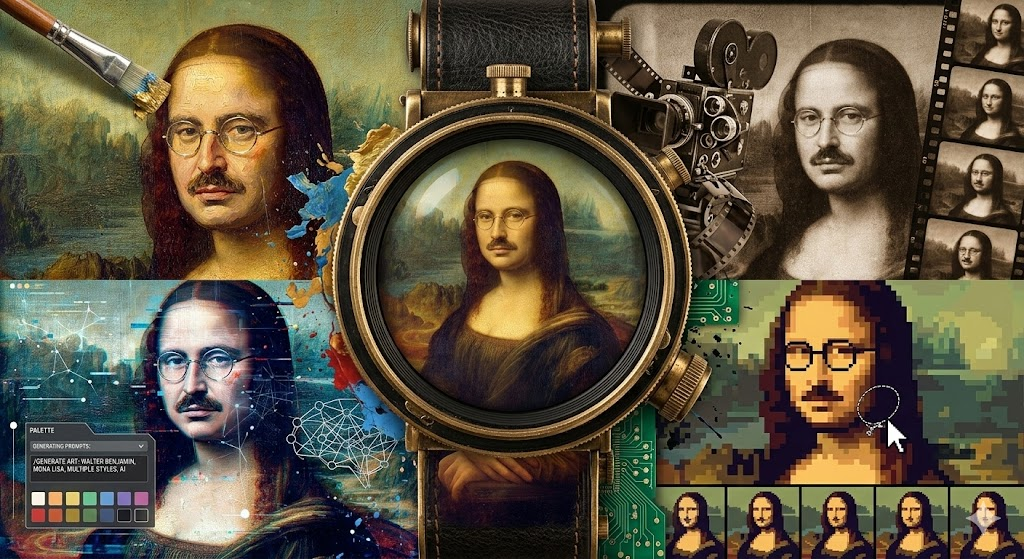
Experimenting with AI tools is one of my favorite parts of my practice, and this particular video generator turned out to be a very cool collaborator. It is not 100 percent accurate, but it gets surprisingly close, and that “almost right” quality ended up becoming part of the interest for me. NotebookLM is a Google product, available at https://notebooklm.google.com, and it works differently from a general chatbot like Gemini or ChatGPT, because it builds everything from the specific sources you feed it rather than from the entire internet.
The video that NotebookLM generated based on my article.
NotebookLM’s video overview tool ended up acting like a surprise co‑director for a project where I wanted to explain proto Jewish futurism in the context of the Vitebsk People’s Art School. Instead of hand crafting every frame, I loaded it up with my recent article and asked it to propose a first pass at a lesson: a narrated video that walks viewers through how Jewish, revolutionary, and avant garde energies briefly converged in Vitebsk. To be more specific, it appears to be a combination of the slideshow generator + a podcast voice generator combined to make a “video”. The result was messy in places, visually strange, and full of small errors, but it still managed to deliver my main argument about Jewish futurist tendencies in this short and intense moment of art education.
Setting up the experiment
I started with a pretty simple goal: turn a dense, theory heavy pile of notes on Vitebsk, Marc Chagall, and the Russian avant garde into something a non specialist could actually watch and follow. NotebookLM’s promise of an auto generated video overview sounded like the right kind of constraint and collaborator for that task. Because it works on data that you explicitly upload or link, I gathered my materials into one place historical sources, exhibition texts, and fragments from my ongoing writing on Jewish futurism and treated the notebook as a compact archive that the system could mine for a narrative, instead of letting it improvise from generic web knowledge.
From notes to video overview
With the sources in place, I asked the system to create an explainer style video focused on three threads: the Vitebsk People’s Art School, the artists at its center, and the ways their work points toward possible Jewish futures. What came back was a sequence of slides paired with narration that moves through the post revolutionary context, the founding of the school, and its radical pedagogical experiments. What surprised me was how clearly the structure echoed my own framing of Vitebsk not as a footnote in art history, but as a kind of prototype for Jewish modernity in motion.
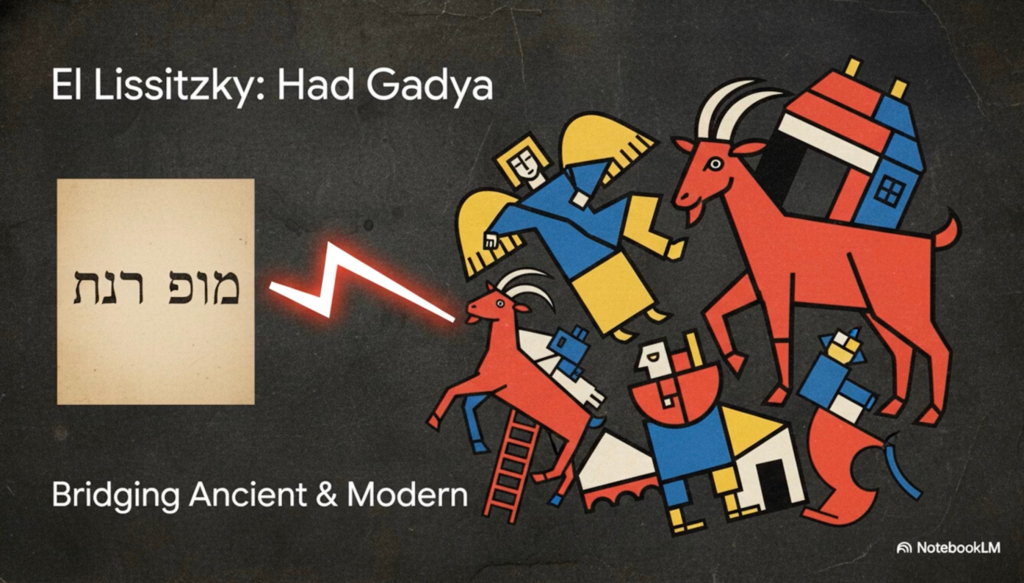
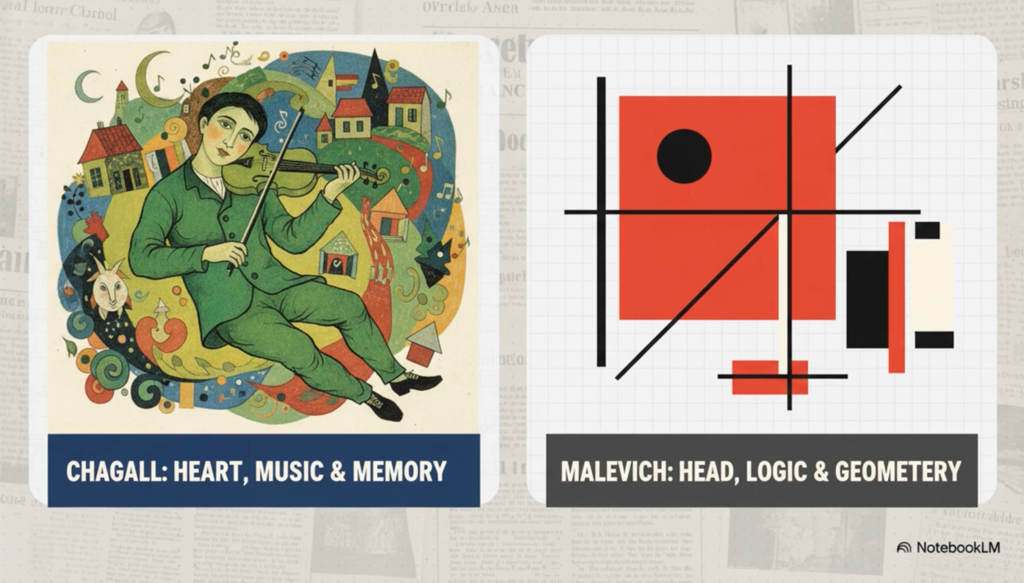
AI generated imagery close, not exact
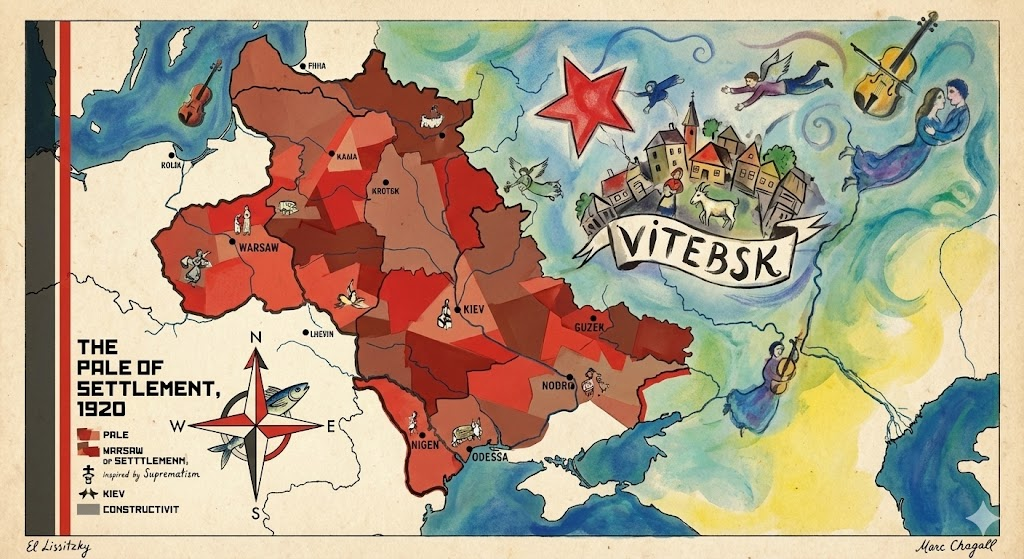
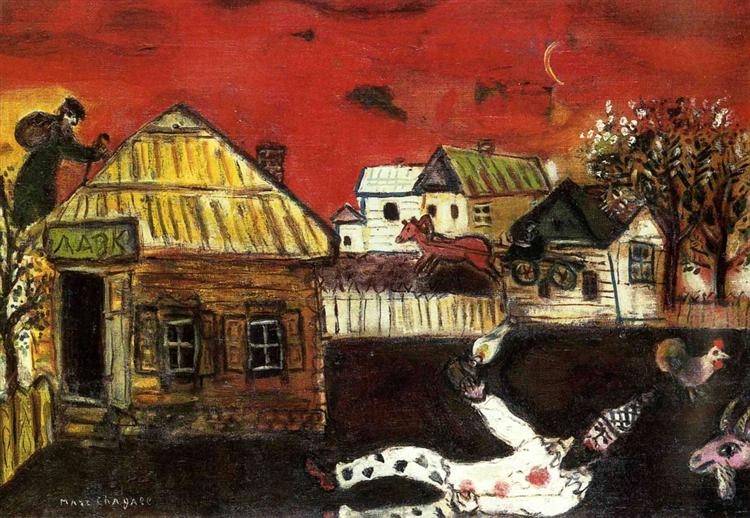
The visuals were where the experiment really got interesting. The system did not reach for actual archival photos or specific paintings. Instead, it produced images that felt like approximations of the artists’ styles. Scenes appeared that looked almost like Chagall’s floating shtetl figures, nearly like Lissitzky’s architectonic compositions, and somewhat like Malevich’s abstractions, but never fully matched the originals. That almost quality created a kind of productive uncanniness. The video builds an atmosphere of Vitebsk’s avant garde world without literally reproducing it, more like a synthetic memory or dream constructed from stylistic cues, which for a project about Jewish futurism feels conceptually on point.
Glitches, spelling errors, and the shape of the argument
The video is clearly not a polished museum product. There are spelling mistakes, clunky phrasing, and the occasional slightly wrong name or term. For me, that did not invalidate the experiment, it just made the mediation visible. This is a generated draft that still needs a human editor, not an authoritative final cut. What mattered more was that underneath those glitches, the bones of the explainer were solid. The video successfully communicated the ideas I wanted to surface: the social and political context of the school, the specifically Jewish dimension of the work, and Vitebsk as a site of radical possibility rather than a nostalgic lost world.
Surfacing a Jewish futurist reading of Vitebsk
The real test for me was whether the piece could carry my reading of Vitebsk as a proto Jewish futurist project. The video condensed that framing into clear, accessible language, repeatedly returning to the school as a laboratory for new Jewish forms and new ways of being together. By forcing my notes into a short, watchable format, the tool pushed me to concretize what I actually mean by proto Jewish futurism in this context: an art school that treats Jewish life as material for design, not just content for preservation, and that treats pedagogy itself as a kind of speculative world building.
In the end, the experiment showed me how an AI generated video can function both as an explainer and as a mirror for my own thinking. It reflected my argument back in another medium, making it obvious which ideas translated smoothly into narrative and which still need more nuance and friction. The off brand imagery, the typos, and the overall coherence all became part of the story, a contemporary, imperfect, and strangely fitting echo of the Vitebsk school’s own attempt to invent a new way of seeing Jewish futures.
If you haven’t tried NotebookLM, I’d make an account and try some experiments on your own.
Vitebsk, a small, mostly Jewish city in the old Pale of Settlement, is remembered in the art books as a birthplace of the Russian avant‑garde, but almost never as a place where Jews were actively prototyping their own futures (Vitebsk; “In the Beginning”). In the years 1918 to 1922, if you set Vitebsk next to the qualities that define Jewish Futurism in my own framework (tradition as engine, explicit future‑orientation, speculative design, tech–spirit entanglement, liberation, and collective imagination), it starts to look less like a side chapter of Russian modernism and more like an early Jewish futurist lab. What follows is that story, told through those lenses.
Town of Vitebsk 1919 (Modern day Belarus)
Jewish futurism as a lens
In my own writing, Jewish Futurism is a creative framework that blends design, spirituality, and technology to reimagine the future of Jewish identity, ritual, and ethics. It treats Jewish sources and symbols as engines for new worlds, leans into speculation and prototyping, and loves that “ancient in the present” feeling, where neon‑lit interfaces sit next to kabbalistic cosmology and golem legends.
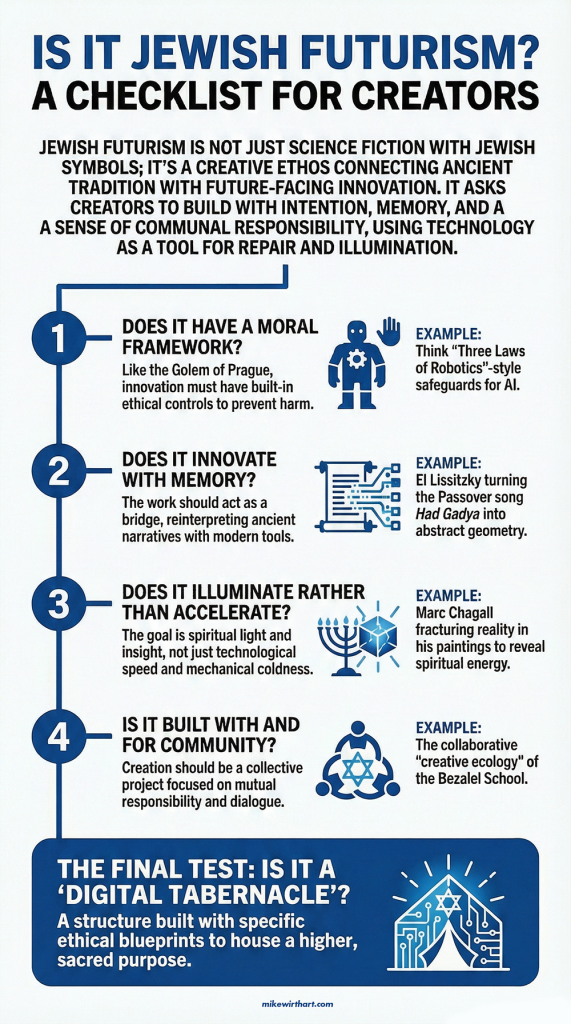
If you strip that down to core moves, you get: start with Jewish values and stories, ask “what if” questions about the future, use speculative design and prototypes instead of just commentary, entangle tech and spirit, and keep liberation and repair as the moral north star. That is the checklist I am quietly running in the background as I look at Vitebsk.
The political weather
The Vitebsk experiment sits right in the storm of the Russian Civil War. The Bolsheviks had just seized power and dissolved the Constituent Assembly; Red, White, and nationalist forces were fighting across the old empire, and by 1918–1921 the war had wrecked the economy and militarized everyday life, especially in borderlands like Belarus and Ukraine (“Russian Civil War”). The new regime promised a rational, classless future, but enforced it with emergency repression and the Cheka, the Soviet secret police (“Russian Civil War”).
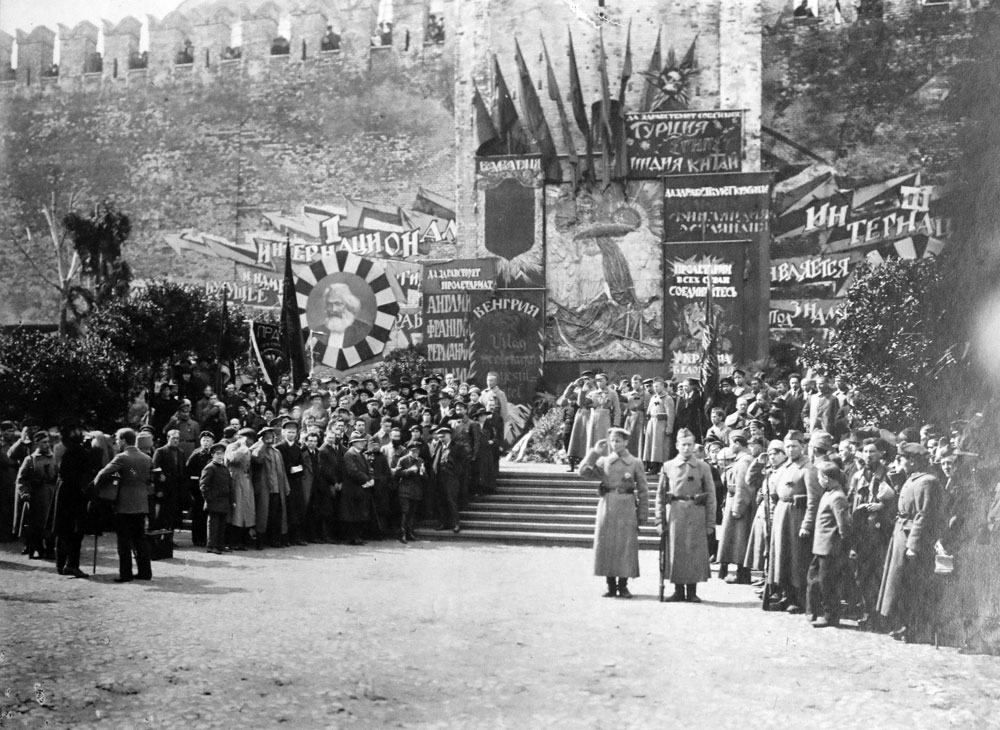
Bolshevik Festival, 1918
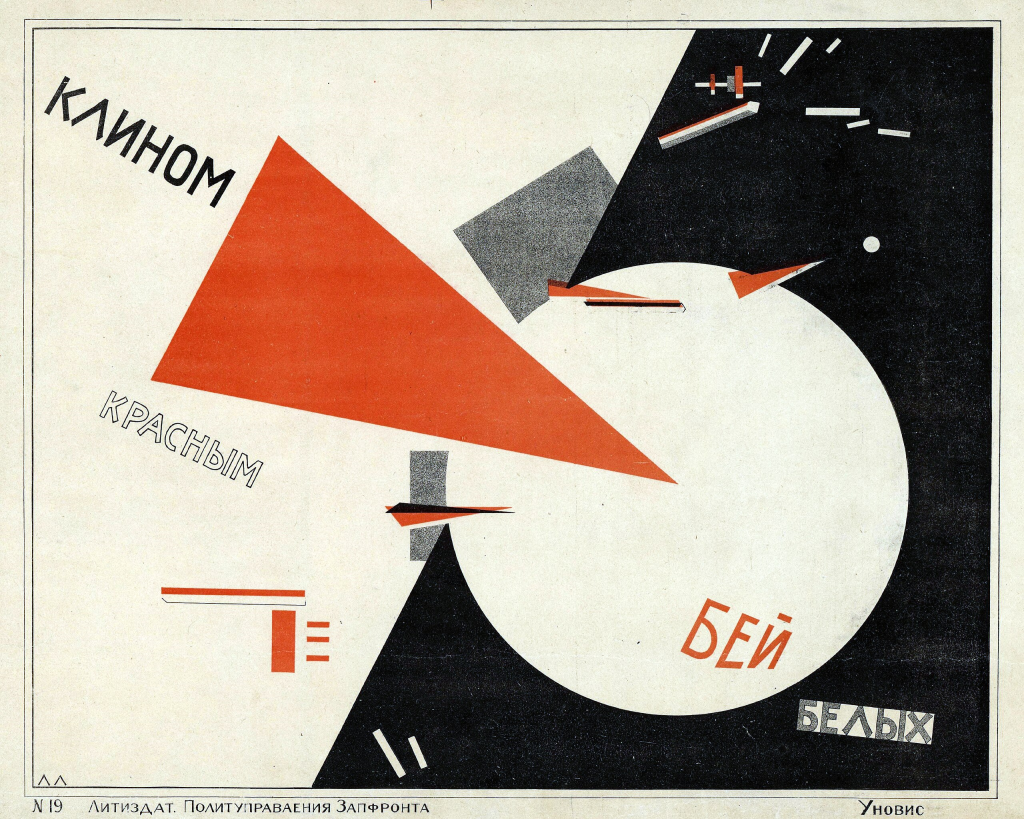
In culture, that meant art was not neutral. Festivals, agit‑prop posters, and street decorations became tools for staging the future socialist society in public space (“Russian Civil War”). In contemporary language, the state was demanding “design, not just description”: artists were expected to prototype the look and feel of a new world, not only paint it from the sidelines. Vitebsk’s People’s Art School and the UNOVIS collective were very much inside that program (“Chagall, Lissitzky, Malevich”; “UNOVIS”).
Beat the Whites with the Red Wedge, El Lissitsky, 1919
Jewish life between emancipation and trauma
For Jews, the ground had just shifted. The revolutions abolished the Pale of Settlement and the old quota regime, so on paper Jews could live, study, and work without the old legal shackles (“Pale of Settlement”). Cities in the former Pale, including Vitebsk, suddenly opened up Jewish participation in schools, professions, soviets, and new cultural institutions (Vitebsk).
Jewish Socialist Group, The Bund, election poster, 1917
At the same time, the civil war unleashed catastrophic pogroms. In nearby Ukraine and parts of Belarus, White armies, nationalist militias, and irregular bands killed tens of thousands of Jews and displaced many more; refugees and bad news moved through the region constantly (“Pogroms during the Russian Civil War”). Early Soviet nationality policy recognized Jews as a “nationality” and created Jewish sections of the Party (Evsektsiia), pushing Jews into the socialist project while attacking synagogues, Hebrew, and traditional institutions, even as secular Yiddish culture and left‑wing Jewish politics boomed (Vitebsk).
In other words, Jews in and around Vitebsk were newly emancipated on paper, traumatized and precarious in practice, and under pressure to imagine “what happens to Jewishness next”.
Map of the Pale of Settlement highlighting Vitebsk. Image by author
Vitebsk as a Jewish, experimental city
Before the revolution, Vitebsk was a major Jewish center, with synagogues, heders, Yiddish markets, and a thick stew of Zionist, Bundist, and other Jewish politics (Vitebsk; “In the Beginning”). After 1917, Soviet institutions sat right on top of that fabric: workers’ councils, clubs, and schools tried to re‑engineer daily life (“In the Beginning”).
In 1918, Marc Chagall came home from Petrograd and founded the People’s Art School, a free modern art school for local working‑class youth who had been locked out of Imperial academies, many of them Jewish (“Chagall, Lissitzky, Malevich”). He recruited avant‑garde teachers, turned Vitebsk into a small node in the international modernist network, and handed real tools and training to kids whose families had been under Tsarist restrictions only a few years earlier (“Chagall, Lissitzky, Malevich”). That is very close to what I mean today by a Jewish futurist “lab”: a place where a specific Jewish community uses design and education to build its own cultural future (Wirth).
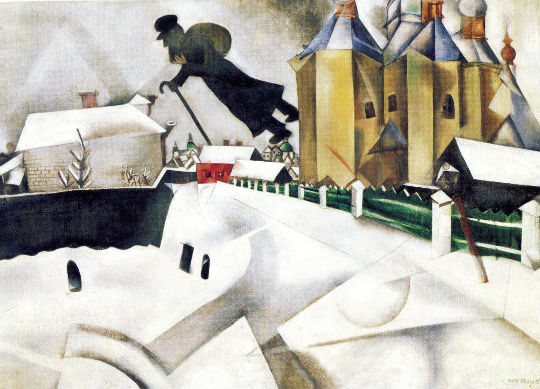
In those Vitebsk years, Chagall painted the works everyone now knows: flying couples and goats, skewed rooftops, synagogues hovering over town, a fiddler straddling chimneys. These are not just nostalgic postcards of the shtetl; they warp gravity and time. Past, present, and some maybe‑world bleed into each other.
From a Jewish futurism angle, Chagall is doing exactly what I try to do with neon interfaces and AI‑inflected ritual objects. He is starting with Jewish stories and symbols and then using them as engines to invent new visual physics. The familiar becomes strange without losing its soul. That “ancient in the present” feeling that I care about so much is already there in his sky‑bound Vitebsk. His paintings read like prototypes of Jewish life under different rules, which is one of the key tests I use today for whether something is really operating as Jewish futurism.
Over Vitebsk, Marc Chagall, 1913
UNOVIS in the streets: the classic proto–Jewish futurist moment
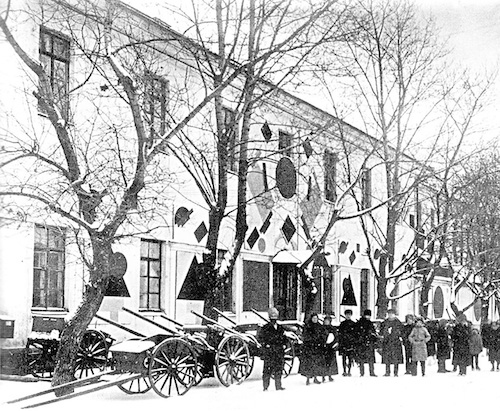
The moment that feels most like a straight‑up Jewish futurist intervention is when UNOVIS took the streets. Around 1919–1920, the collective of teachers and students around Malevich designed Suprematist banners, painted trams and building facades, and marched in revolutionary festivals with Black Squares and other abstract emblems.
This is happening in a mostly Jewish city. The same streets that carried Jews to synagogue and market are suddenly wrapped in a new visual operating system. Instead of only Stars of David and Hebrew letters, there are squares, circles, and crosses floating over shopfronts and tram cars. The Black Square, which Malevich had already framed like a kind of icon, becomes a civic ritual sign on flags and sleeves.
If I treat this like any other futurist project, it is textbook: a collective of young artists, many Jewish, redesigns the visual and ritual grammar of their own city, at scale, as a way of sketching a possible future world. It is design, not description. It is explicitly future‑oriented, embedded in a particular Jewish place, and it lives at the intersection of politics, symbol, and street‑level experience. Those are all the boxes I check in my Jewish Futurist design process today.
Workshop of the Committee to Abolish Unemployment in Vitebsk with Suprematist panels by UNOVIS, 1919
Lissitzky: from Had Gadya to pangeometry
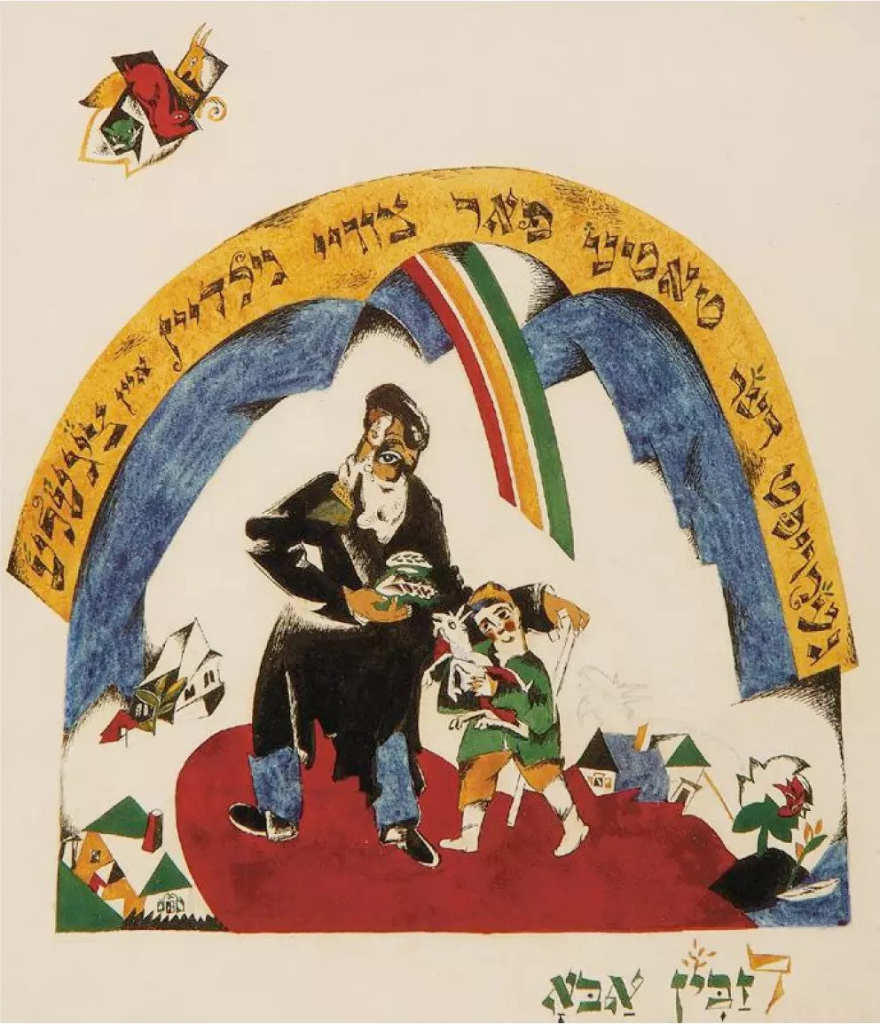
El Lissitzky is the other key bridge figure for me. Before and during his Vitebsk period, he designed Hebrew and Yiddish books, including a famous Had Gadya, where the Aramaic Passover song gets re‑composed with bold letters and geometric forms. Scholars like Igor Dukhan describe this as a move from “Jewish style” into a universal “pangeometry,” but they note that the universalism is built right on top of Jewish source material.
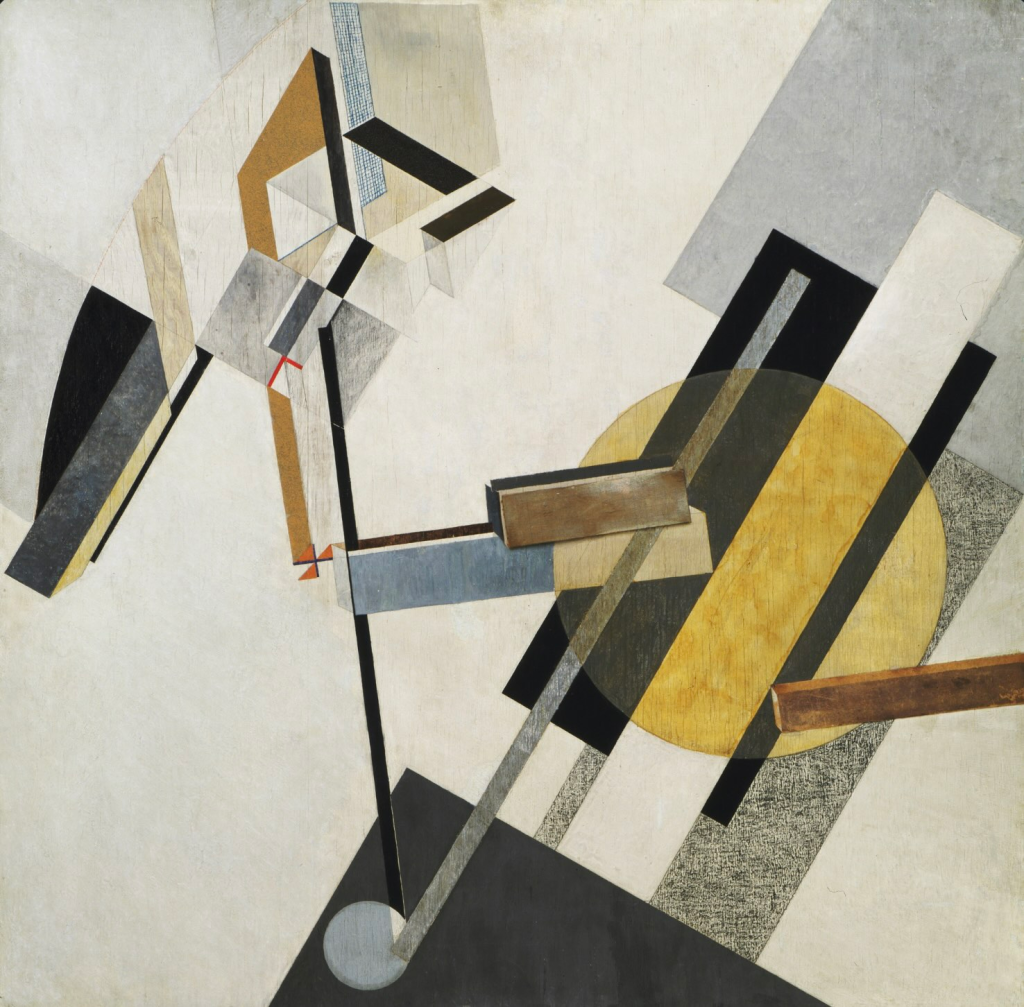
In my terms, that is pure tradition‑as‑engine. He is not sprinkling Hebrew as flavor; the text itself is the design brief for a new visual system. In Vitebsk, Lissitzky then develops PROUN, a body of hybrid painting‑architecture pieces that look like floating structures in non‑Euclidean space, which he framed as “stations” between painting and architecture for a future society.
That move—from a Passover song to speculative spatial diagrams for a different world—is the same arc I trace when I talk about going from Torah into high‑tech ritual objects. It is also a strong example of what I call entangling technology and spirituality: using the tools of print, geometry, and architectural thinking to work through spiritual questions about where and how a Jewish (and human) body might live in a new order.
Chad Gadya – El Lissitsky
Proun 19 D- El Lissitsky
Malevich, UNOVIS, and secular ritual systems
Malevich arrives in Vitebsk in 1919, invited by Lissitzky, and soon becomes the center of gravity at the People’s Art School. His experience with Cubo-Futurism ignites a shift in painting in the town. With him, teachers and students form UNOVIS, sign work collectively, and treat Suprematism as a total worldview. He talks about the Black Square as an “icon” and about non‑objectivity as a new metaphysics of pure feeling.
In a Jewish environment, that lands differently than it would in a neutral setting. This is a town used to Torah scrolls, midrash, and messianic talk. UNOVIS is effectively rolling out a secular ritual system on top of that: new symbols, new processions, new “liturgies” of banners and posters that promise a transformed world. It is not Jewish ritual, but it is a speculative ritual layer in Jewish space, and Jewish students are the ones building it.
Viewed with my framework, that is another type of tech–spirit entanglement: using visual technology and collective performance to test out a different metaphysics in the same streets where older Jewish ones still echo. It shows how close the Jewish Futurist line of questioning is to the avant‑garde’s own messianic streak, even when the language is strictly secular.
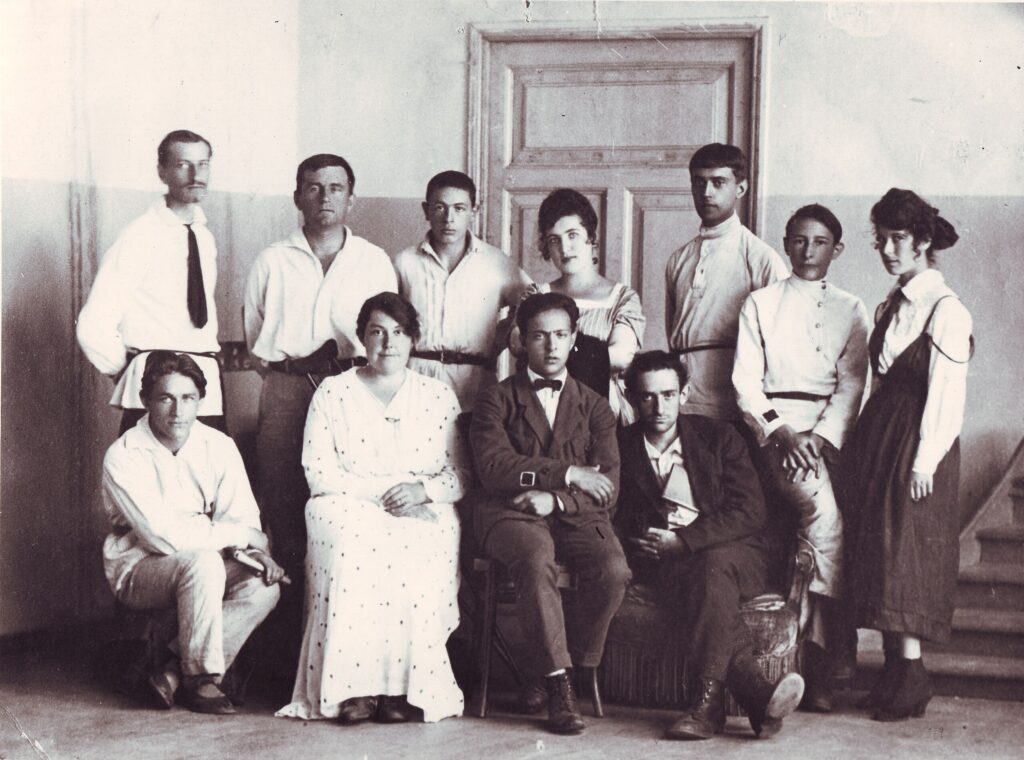
The Faculty of the UNOVIS School. 1918
Two Jewish futures in one school
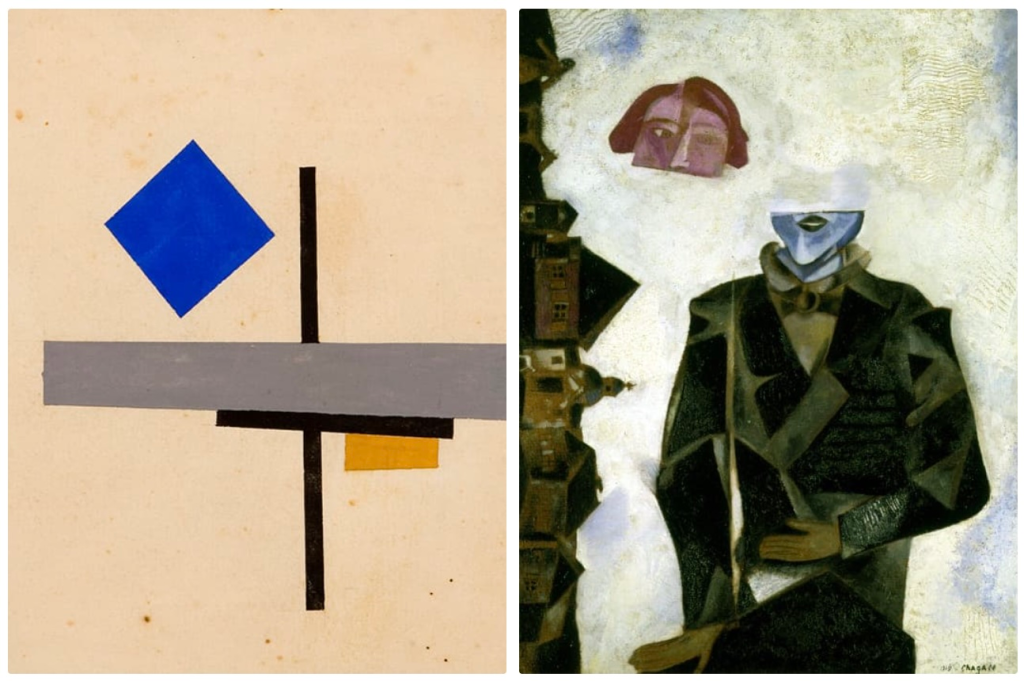
Inside the People’s Art School, there is a clear tension between two ways of thinking about the future. Chagall holds onto figures, stories, synagogues, and shtetl scenes, but floats them, tilts them, and sets them in saturated color. In my terms, he is modeling continuity through creative distortion: Jewish narrative and ritual feeling that survive and adapt without disappearing.
Malevich, and the UNOVIS path, offer a different horizon: strip away all representation and identity markers and escape into pure geometric universals that are supposed to belong to everyone. Many students follow that road. Chagall finds himself sidelined and eventually leaves Vitebsk in 1920.
From a Jewish Futurist vantage point, this is not only a stylistic argument. It is a fight over how you imagine a Jewish future under pressure. One path keeps tradition as engine and accepts that Jewishness will show in the work. The other tries to leap into something like a post‑Jewish universalism, betting that liberation means dissolving markers altogether. That same tension is alive now, whenever Jewish futurist work decides how visible to make its Jewish sources and audiences.
Left- Lazar Khidekel, Suprematist Composition with Blue Square, 1921. Right- Marc Chagall, Anywhere out of the World, 1915–19. Oil on cardboard mounted on canvas.
Why no one called it “Jewish futurism”
Curators and critics have done a lot of work on Vitebsk. The Jewish Museum show “Chagall, Lissitzky, Malevich: The Russian Avant‑Garde in Vitebsk, 1918–1922,” along with its catalogue, makes it clear the town was heavily Jewish and that Chagall and Lissitzky’s Jewish identities matter. Reviews in Studio International, the New York Times, Artmargins, Tablet, and Jewish Currents all talk about Vitebsk as a utopian laboratory.
What they do not do is connect that story to the language and methods that Jewish futurism uses now. The town is filed under “Russian avant‑garde,” while Jewish futurism is usually reserved for contemporary art, speculative fiction, and design work. The result is a blind spot: a historical moment that already behaves like a Jewish futurist lab is sitting in one file folder, and the present movement that could really use that precedent is sitting in another.
Vitebsk as an early Jewish Futurist lab
If I run Vitebsk through my own Jewish futurist checklist, it lights up. Tradition as engine: Chagall’s speculative shtetl and Lissitzky’s Had Gadya redraw Jewish stories and symbols into new visual systems. Explicit future‑orientation: a Jewish population just freed from the Pale and brutalized by pogroms is forced to imagine new futures in real time. Design, not just description: the People’s Art School, PROUN, and UNOVIS’s trams and banners are prototypes of new civic and spiritual grammars, not commentary about the old one.
Tech and media entangled with spirituality: abstract signs, print, and architecture take on ritual roles in a Jewish city. Liberation and repair as north stars: even when the rhetoric is Marxist, the underlying drive is to get out from under Tsarist antisemitism and civil‑war terror and build something more just. Collective, situated imagination: a specific community, in a specific town, turns its own streets, schools, and bodies into a laboratory for what Jewish and human life might become next.
Seen that way, Vitebsk is not an odd, provincial side note to Russian modernism. It is an early node in the same line of Jewish making that runs through my own neon‑lit spiritual objects, AI‑inflected Torah experiments, and design‑driven rituals today. Naming it as such is not just about correcting a footnote in art history. It is a way of claiming ancestors for Jewish futurism and remembering that this mode of thinking has been with us, in one form or another, since at least the moment a few Jewish kids in Vitebsk painted Suprematist banners for a world they had not yet learned how to live in.
Dukhan, Igor. “El Lissitzky – Jewish as Universal: From Jewish Style to Pangeometry.” Monoskop, monoskop.org/images/6/6e/Dukhan_Igor_2007_El_Lissitzky_Jewish_as_Universal_From_Jewish_Style_to_Pangeometry.pdf.
“In the Beginning, There Was Vitebsk.” The Forward, 12 Mar. 2008, forward.com/culture/12913/in-the-beginning-there-was-vitebsk-01455/.
This article is a teacher’s (me) journey out of the AI shadows and into classroom transformation. This article is a companion to a recorded lecture I gave on how I use AI in the classroom. I recommend watching the video in addition to reading this post, as it offers a deeper dive and helps contextualize the experiments and perspectives summarized here.
AI Isn’t a Hammer, It’s a Screwdriver
A teacher’s journey out of the AI shadows and into classroom transformation. This article is a companion to a recorded lecture I gave on how I use AI in the classroom. I recommend watching the video in addition to reading this post, as it offers a deeper dive and helps contextualize the experiments and perspectives summarized here.
We’ve successfully scared the hell out of ourselves about AI. That’s the truth. Despite the helpful Wall-E’s and Rosie the Robots, the likes of HAL 9000 locking astronauts out in space to the death machines of The Terminator, the cultural imagination has been fed a steady diet of dystopian dread. And now, with the hype and hysteria churned out by the media and social media, we’ve triggered a collective fight, flight, or freeze response. So it’s no surprise that when AI entered the classroom, a lot of educators felt like they were witnessing the start of an apocalypse, like all of us were each our own John Connors’ watching the dreaded Skynet come online for the first time.
But I’m here to tell you that’s not what’s happening. At least not in my classroom.
In fact, this post is about how I crawled out of the AI shadows and learned to see it not as a threat but as a tool. Not a hammer, but a screwdriver. Not something that does my job for me, but something that helps me do my job better. Especially the parts that grind me down or eat away at my time.
If you’re skeptical, hesitant, angry, or just plain confused about what AI is doing to education, pull up a chair. I’ve been there. But I’ve also experimented, adjusted, and seen the light and the darkness. I cannot dispel all of the implications of AI use, but I want to share what I’ve learned so you don’t have to build the spaceship from scratch.
We Owe It to Our Students to Model Bravery
Students are already using AI. They’re exploring it in secret, often at night, often with shame. They’re wondering if they’re doing something wrong. And if we meet them with fear, avoidance, or silence, we’re sending the message that they’re on their own. In a 2023 talk at ASU+GSV, Ethan Mollick noted that nearly all of his students had already used ChatGPT, often without disclosure. He emphasized that faculty need to assume AI is already in the room and should focus on teaching students how to use it wisely, ethically, and with reflection. That means our job isn’t to police usage—it’s to guide it.
I don’t want my students wandering through this new terrain without a map. So I model what I want them to do: ask questions, explore ethically, think critically, and most of all—reflect. I also model the discipline of not using AI output as a final product, but only as inspiration. If I use AI to brainstorm or generate language, I always make sure to rewrite it into something that reflects my own thinking and voice. That’s how we teach students to be creators, not copy machines. Map out where you have been and where you are going in your journey.
That’s what it means to teach AI literacy. It’s not about having all the answers. It’s about being brave enough to stay in the conversation. I was also wandering aimlessly with AI—unsure how to use it, uncertain about what was ethical—until I took this course from Wharton on Leveraging ChatGPT for Teaching. That course changed my mindset, my emotional state, and my entire classroom practice. It gave me a framework for using AI ethically, strategically, and with care for student development. If you’re looking for a place to start, that’s a great one.
AI Isn’t a Hammer. It’s a Screwdriver.
Here’s a metaphor I use a lot: AI is not a hammer. It’s a screwdriver.
Too many people try to use AI for the wrong task. They ask it to be a mindreader or a miracle worker. When it fails, they say it’s dumb. But that’s like trying to hammer in a screw and then blaming the hammer.
When you learn what AI actually does well, like pattern recognition, remixing ideas, filtering, and translating formats, you start to use AI for its actual strengths. As Bender et al. (2021) explain in their paper On the Dangers of Stochastic Parrots, large language models are fundamentally pattern-matching systems. They can generate fluent, creative-sounding language, but they do not possess understanding, emotional awareness, or genuine creativity. They remix what already exists. That is why we must use these tools to support our thinking, not replace it. It becomes a tool in your toolkit. Not a black box. Not a crutch. A screwdriver.
I don’t want AI to do my art and writing so I can do dishes. I want AI to do my dishes so I can do art and writing. As Joanna Maciejewska put it: “I want AI to do my laundry and dishes so that I can do art and writing, not for AI to do my art and writing so that I can do my laundry and dishes.” It won’t do your dishes. But it might give you time back so you can do something that matters more.
How I Actually Use AI in Class With Students
I teach graphic design, motion, UX, and interactive design. AI is already a mainstay in each of these disciplines—from tools that enhance layout and animation to systems that evaluate accessibility and automate UX testing. But even though AI had become part of the professional design landscape, I was still skeptical. I wasn’t sure how to bring it into my classroom in a meaningful way. So I started small.
Using AI for minor efficiencies—generating rubrics, reformatting documents, cleaning up language—felt good. It felt safe. And it gave me just enough momentum to try it on bigger, more impactful tasks. What made the difference was a mindset shift. I stopped seeing myself as a single musician trying to play every part of a complex score and started seeing myself as the conductor of the orchestra. I didn’t need to play every part, I just needed to know how the parts worked together. That gave me the confidence to use AI—and to teach with it.
Here’s how I integrate AI into our learning:
Students design chatbots that simulate clients, so they can roleplay conversations. I used to pretend to be clients and interact with students through Canvas discussion boards. Now I can read their chat logs and have conversations with them about their questions and intentions.
In Motion Graphics, students use “vibe coding”—a form of sketching in code with the help of GPT to simulate motion, like moons orbiting planets.
In Interactive Design, they use Copilot** to debug code** in HTML, CSS, and JavaScript.
They learn to generate placeholder images for mockups, not final artwork.
We create custom Copilot agents, like “RUX”—a UX-focused bot trained to give scaffolded feedback based on accessibility standards.
I’m not handing them shortcuts. I’m handing them power tools and asking them to build something that’s still theirs.
The Creative Process Needs Scaffolding—AI Can Help
I believe in the creative process. I’ve studied models like the Double Diamond and the 4C Model. I’ve seen how students get stuck during the early stages, especially when self-doubt creeps in.
That’s where AI shines.
AI helps my students generate more ideas in the divergent phase. This echoes research by Mollick and Terwiesch (2024) showing that structured AI prompting increases idea variance and originality during the creative process. It helps them compare, sort, and edit during the convergent phase. And when I ask them to submit their chat logs as part of their final deliverable, I can see their thinking. It’s like watching a time-lapse of the creative process.
We’re not assessing just artifacts anymore. We’re assessing growth. And that includes how students use AI as part of their process. I make it clear that AI-generated outputs are not to be submitted as final work. Instead, we treat those outputs as inspiration or scaffolding—starting points that must be reshaped, edited, or reimagined by the human at the center of the learning. That’s a critical behavior we need to model as teachers. If we want students to be creative thinkers, not copy-paste artists, then we have to show them how that transformation happens.
Accessibility and AI Should Be Friends
I also use AI to make my course materials more accessible. I format assignments to follow TILT and UDL principles. For example, I asked GPT to act as a TILT and UDL expert and reformat a complex assignment brief. It returned a clean layout with clear learning objectives, task instructions, and evaluation criteria. I pasted this directly into a Canvas Page to ensure full screen reader compatibility and ease of access.
For rubrics, I asked GPT to generate a Canvas rubric using a CSV file template. I specified category names, point scales, and descriptors, and GPT returned a rubric that I could tweak and upload into Canvas. No more building from scratch in the Canvas UI.
To generate quizzes, I use OCR with my phone’s Notes app to scan printed textbook pages. I paste that text into GPT and ask it to write multiple-choice questions with answer keys. GPT can even generate QTI files, which I import directly into Canvas. This process saves me hours of manual quiz-writing and makes use of printed texts that don’t have digital versions.
AI helps me build ramps, not walls.
Faculty are also legally required to build those ramps. Under the Rehabilitation Act and the Americans with Disabilities Act (ADA), specifically Section 504, course content in learning management systems like Canvas must meet accessibility standards. But let’s be honest—retrofitting dozens or even hundreds of old documents, PDFs, and slide decks into fully accessible formats is a monumental task. It often gets pushed to the bottom of the to-do list, which leaves institutions vulnerable to non-compliance. Check out the WCAG standards for more details.
AI can help. It can reformat documents for screen reader compatibility, generate alt text, simplify layout structure, and audit for contrast and clarity. And it can do it in a fraction of the time it would take any one of us. By using AI thoughtfully here, we not only make our content better, we also help our institutions become more equitable and compliant faster.
When I use local LLMs to analyze student writing using tools like LM Studio, I keep student data safe, FERPA compliant, and private. This aligns with concerns raised by Liang et al. (2023) about how commercial LLMs may compromise the privacy of non-native English speakers and their content. It is ethical. It is efficient. And it respects the trust students place in me.
Let Students Build Their Own Tools
One of the best things I’ve done is empower students to create their own AI agents.
Yes, students can train their own Copilot bots. And when they do, they stop seeing AI as some alien threat. They start seeing it as a co-creator. A partner. A lab assistant. ChatGPT has a feature called Custom GPTs, which allows similar personalization, but it’s locked behind a paywall. That creates real inequity for students who can’t afford a subscription. Copilot, on the other hand, is free to students and provides the necessary capabilities to build custom agents or chatbots. Here’s a guide to get started building your own agents with Copilot.
As a way to model this behavior for students, I created a CoPilot Agent myself called RUX, short for “Rex UX”, honoring Rex, our beloved university mascot. I built it using Microsoft’s Copilot Studio, which lets you define an agent’s knowledge base, tone, and purpose. For RUX, I gave it specific documentation to pull from, including core sources like WCAG, UDL, and UX heuristics, and trained it to act as a guide and feedback coach for my UX students. It doesn’t give away answers. It asks questions, gives feedback, and helps students reflect.
Setting up an agent starts with defining your intent. I decided I wanted RUX to act like a mentor who knew the standards for accessibility and good UX practices, but also had the patience and tone of a coach. I uploaded key resources as reference material, wrote prompt examples, and added instructions to prevent the agent from simply giving away answers. This ensures students use it to reflect and improve rather than shortcut their learning.
The great part is that it took me about 30 minutes. And now my students use it to get feedback in between critiques, to check their work against accessibility standards, and to build their confidence.
And the students slowly start to ask better questions.
Final Thoughts: Be the Conductor, Not the Consumer
I tell my students this all the time: don’t just be a user. Be the conductor. That’s the heart of this whole article. I started this journey skeptical and unsure about how to use AI in my teaching, but I kept experimenting. And the more I leaned in, the more I realized I could use these tools to orchestrate the learning experience. I didn’t need to master every note, just guide the ensemble. Once I felt that shift, I was able to build my own practice and share it with students in ways that felt grounded and empowering.
Here are two simple but powerful GPT exercises that are from the UPenn AI in the Classroom course that I recommend for you to get started:
1. Role Playing (Assigning the AI a Persona)
This method helps shape AI responses by giving it a clear role.
Steps:
Tell the AI, “You are an expert in [topic].”
Provide a specific task, like “explain X to a 19-year-old art student” or “give feedback on a beginner-level UX portfolio.”
Refine the prompt with context about the student’s needs or your learning objectives.
Outcome: The AI behaves like a thoughtful tutor instead of a know-it-all. Students can use it as a low-stakes, judgment-free practice partner.
2. Chain of Thought Prompting
This is useful for step-by-step thinking and collaborative problem solving.
Steps:
Ask the AI to help you develop a lesson plan, solve a design challenge, or draft a workflow.
Break the task into steps: “What’s the first thing I should consider?” Then “What comes next?”
Let the AI ask you questions in return. Keep the conversation going.
Outcome: You model metacognition, and students learn how to refine ideas through iterative feedback. It supports both ideation and strategic planning.
Try these as warm-ups, homework tools, or reflection exercises. They’re simple, ethical, and illuminating ways to integrate AI in any classroom.
That’s what I want for my colleagues, too. You don’t have to know everything about AI. You just have to be curious. You have to be willing to ask: “What can this help me or my students do better?”
So here’s your first experiment:
Have students brainstorm ideas for a project.
Have them ask GPT the same question.
Compare the lists.
Reflect. (What worked? What didn’t? How will you approach brainstorming next time?, Repeat)
Then decide what to keep, what to toss, and what to remix. Just like we always have. Let’s stop building walls. Let’s start building labs. And let’s do it together.